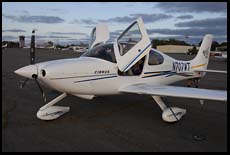
Cirrus Flight Review

a BFR and IPC for the SR20 or SR22; by Philip Greenspun, ATP-CFII in August 2010

Site Home : Flying : One Article


This describes a flight review for an Cirrus SR20 or SR22. By the end of this review, the pilot will have passed a biennial flight review (BFR) and an instrument proficiency check (IPC). The review is designed for an Avidyne-equipped SR20, but can be adapted for other configurations.

Ground Questions

The BFR should be preceded by substantial self-study of the Cirrus Pilot's Operating Handbook. The pilot will prepare written answers to the following questions for discussion with the instructor.

Flight Sequence

This entire flight review can be accomplished in less than 2 hours of Hobbs time, with an optional break on the ground.

  1. preflight inspection
  2. startup (review cold and hot starting procedures)
  3. discuss ground leaning; this engine is not very susceptible to plug fouling
  4. reset fuel totalizer
  5. enter flight plan from KBED to KEEN (not direct-to!)
  6. use Navigation or Waypoint chapter (Garmin calls this "page group") on the Garmin 430 to pull up and tune the ATIS and Ground frequencies for Bedford and enter them into the active and standby freqs for COM2 (not acceptable to enter these digit-by-digit with the knobs)
  7. pull up the Tower frequency for BED and put it into the active freq of COM1
  8. manually tune 124.4 into the standby for COM1
  9. get the ATIS and enter the altimeter setting in both places
  10. set the HDG bug to the runway heading (293 for runway 29)
  11. set the PFD altitude bug to 3000
  12. review the airplane's v-speeds from the MFD and note that they cannot be posted on the airspeed tape
  13. do the autopilot test procedure in the run-up area
  14. set up the flight director to provide guidance for runway heading and a 700 fpm climb
  15. take off and climb out toward the practice area, noting that some pilots elect to pull the power back to 2600 RPM at 1000' AGL
  16. use the Nearest chapter to find and tune (using the Enter button, not the knobs) the GDM VOR into NAV1
  17. listen to the Morse code from the GDM VOR
  18. track inbound to GDM for a mile or two using the VOR radio, not the GPS
  19. return back to the practice area
  20. slow flight and stalls
  21. direct-to KEEN
  22. engage the autopilot on NAV and ALT; discuss the difference between NAV and "NAV GPSS"
  23. lean the engine for lean of peak operation
  24. if not already getting VFR advisories, set the transponder to 4123 and then immediately back to 1200 (using the VFR button)
  25. climb 500' to a preselected altitude using the autopilot, then descend back to a cruising altitude (3000'?)
  26. switch between HDG and NAV modes on the autopilot
  27. switch from ALT to VS 0 (good for turbulent conditions)
  28. load the ILS 02 approach to KEEN
  29. switch tanks: note that 7.5 gallons of difference is a limitation; note that the Cirrus has no fuel pressure gauge, fuel pump on, look at fuel flow, switch, look at fuel flow, fuel pump off
  30. make sure that the audio panel MKR/MUTE button is illuminated so that you can hear marker beacons (press once to mute one marker, which is also indicated just to the left of the altimeter on the PFD; press twice to make the light go away and silence future audio)
  31. fly the approach by hand and sequence to the published missed approach procedure (pressing appropriate buttons to suspend the approach ("suspend" soft key where the OBS was) and get the CDI back to tracking from the GPS instead of the nav radio)
  32. land at KEEN if desired

    trip back to Bedford, concentrate on emergencies

  33. icing: pitot heat, alternate air, prop to 2700 by pushing power lever all the way forward, tune to 121.5 the press-and-hold way
  34. PFD failure (dim all the way down); set up an approach using remaining equipment
  35. use the Garmin 430 map cursor to identify a river, get the altitude limits of some Class B or Class C airspace
  36. use the Garmin 430 map to find state and interstate highways
  37. declutter the Garmin 430 map until those highways disappear
  38. diversion: (if XM-weather equipped) find the latest weather at the destination and nearby airports
  39. diversion: highlight KFIT with the Garmin 430 map cursor and press Direct-To, Enter, Enter
  40. diversion: bring up the nearest airports and, using the cursor and knobs, divert to KASH
  41. bring up the map setup menu for the MFD
  42. go to the terrain warning page within the Map chapter and watch as the screen goes from yellow to red on final approach
  43. use the COM1/2 split feature of the audio panel so that one pilot can talk to ATC while the other is picking up the ATIS
  44. do a practice ILS approach at BED using the autopilot down to 500' AGL (HDG mode with APR armed and then have the autopilot fly down the glide slope)

    completing the IPC

  45. go missed from the ILS 29, using the GPS to fly the published hold
  46. request the GPS 23 from EZKOW
  47. pull the PFD circuit breakers and fly the GPS 23 using the autopilot and backup instruments (works with STEC autopilot; the Avidyne autopilot will not work without the PFD's AHRS and the approach must be hand-flown)

More


Text and photos (if any) Copyright 2009-2010 Philip Greenspun.
philg@mit.edu