Audioengine HD4 desktop Bluetooth speaker review

I called in an airstrike on my own audio position by “upgrading” from a 10.5-year Windows 10 PC to a brand-new Windows 11 machine with 100% pimp ASUS ProArt Creator motherboard. If I’d spent half as much on a motherboard from ASR the machine would have had an optical S/PDIF audio output compatible with my old Nuforce Dia amp (mighty 18 watts) and Audioengine P4 passive speakers (both purchased in 2012 and worked without failures for 13 years). The cheap ASUS motherboards seem to have a header for S/PDIF even if there is no connector.

I decided to give the P4 speakers a vacation and purchased an Audioengine HD4 Bluetooth speaker system. They’re about the same size as the P4 speakers so I put them on the same stands. The result is less desktop clutter because the Nuforce Dia is gone. The Nuforce Dia’s power supply is gone (the HD4’s power supply is internal). One of two speaker wires is gone (the powered HD4 on the left still needs a speaker wire, included (with banana plugs!), to send the output of its power amp to its passive brother/sister/binary-resister on the right). The cable connecting the PC to the amp is gone. (Note that if you’re a serious audio nerd you might nonetheless need to reintroduce a USC-C cable from the PC to the Audioengine HD4; the digital-to-analog converter in the HD4 is capable of handling 96 kHZ/24 bits, but Bluetooth aptX HD is limited to 44 kHz/24 bits. One thing that is painful about my ASUS motherboard is that it doesn’t have any standard connector for a Bluetooth antenna. It has a proprietary pair of connectors for a combined WiFi/Bluetooth antenna that is huge and connected by a long ugly cable to the back of the PC. Given that my PC is hard-wired to the switch via a Cat 5 wire that the 2003 builder of this house thoughtfully included, I just need a small Bluetooth antenna that will live on the back of the motherboard. This apparently does not exist in the ASUS universe.

Setup took about 2 minutes. I powered the HD4 off and then on after 5 seconds to simulate a brief power failure. The Windows 11 machine reconnected automatically. Sound quality seems similar to what I was enjoying before. So… my stupidity in assuming that every modern motherboard would have an S/PDIF optical audio output resulted in the recovery of a bit of desktop space at a $329 cost (on sale from the usual $429 price).

Unlike Sonos, Texas-based Audioengine suggests via its photos that white people may purchase and use its products. Here’s a person at serious risk of “tech neck” unless the AI revolution renders the job obsolete.

The one thing that I don’t love about the speakers aesthetically, compared to the P4, is the metal strip across the front. I guess it would be pretty tough to design a wooden volume knob and a wooden headphone jack!

This photo shows the speakers with the Bluetooth antenna pointing up, which was completely unnecessary in my setup. It also shows the old-school RCA inputs and outputs. The RCA output can be used for a subwoofer. I don’t think that the HD4 has a crossover network and, therefore, the HD4 would keep getting driven at full range even with a subwoofer hooked up. Audioengine seems to include a low-pass filter in their subwoofers so that maybe it all works out, but I’m not gaming in the home office nor watching Hollywood action movies so I don’t think I will be trying out the subwoofer config.

Conclusion: this thing works, but it probably would have been smarter to buy a motherboard with S/PDIF optical out! Also probably smarter to buy a motherboard with a standard antenna connector to which a short Bluetooth antenna could be attached.

Full post, including comments

Moen Flo Artificial Intelligence Water Overlord

Everyone in Florida prepares for the Category 5 hurricane that, generally, never shows up (e.g., Tampa hasn’t been hit badly by a hurricane for 100 years). Hardly anyone prepares for an internal water leak and quite a few of our neighbors have suffered severe home damage from, e.g., burst sink faucet supply lines. All of the houses in our neighborhood are about 23 years old and that’s apparently a great age for a massive water escape.

I debated and dithered between the Moen Flo and the Phyn Plus. The vulnerability of the Moen Flo is a mechanical impeller that reportedly fails after 1-3 years, but my friend decided that the Phyn Plus would impose more restriction on water pressure (maybe due to 3/4″ internal pipe where our supply is 1″?). Our plumber has a Flo so we decided to go with Moen (the evil Kohler empire rebrands Phyn Plus). The Phyn Plus makes some stronger claims for intelligence.

About one month after the Flo went in we had our first leak, a steadily dripping Roman tub faucet. Here’s an excerpt of the Flo’s recorded usage:

What’s remarkable about the above is that the AI Water Overlord decided that it was a perfectly normal usage pattern for a human to stand at a faucet for several days and pull out 0-0.01 gallons per minute. No alerts were issued. I did an AI support session with the app, which told me to go onto the web site and see if I could do a “MicroLeak” test there. The app wouldn’t let me do it maybe because it thought that a faucet was legitimately in use. In any case, the history showed a few MicroLeak tests passed with flying colors during an obvious and steady leak. Through all of this, the app displayed a “fat/dumb/happy” screen:

I eventually did call the Moen support number. The phone line was quickly answered by an American with no accent. He had no explanation for why the device hadn’t raised an alert, at least, and decided to escalate the question to Tier 2. Meanwhile, although I’d purchased a bundle of the device and three years of extended warranty and other support (assuming that the impeller will fail for us as it has for everyone else), the Web application showed me as not subscribed to “FloProtect” and kept trying to sell me “FloProtect”. The customer support agent confirmed that I actually WAS subscribed.

The leak was bad enough that if had happened while we were away for a few weeks it could have caused $50,000 of mold and other damage. Fortunately for us, however, it was leaking into a tub with a drain and we observed it with our own eyes.

The second fun part of this story was that I had previously asked a contractor to sort out the access panel situation for the Roman tub faucet and the shutoff valves. These were mostly tiled in so a plumber couldn’t service them. He converted two of the tiles to a magnetic mount. “Just cut the grout with a utility knife,” said the contractor, “and then maybe use a suction cup to get the tile out.” Of course, this was a huge challenge for me and I didn’t succeed without a trip to Home Depot to get a pro-grade suction cup grabber.

When I did get my unskilled paws on the 23-year-old shutoff valves I was able to turn them all the way to the right. This shut off the cold water to the tub, but the hot water still flowed out at a substantial rate and continued to drip (apparently, it was the hot water that was dripping). I torqued it down some more and finally got the pressure low enough that the dripping stopped with the faucet tap turned off. ChatGPT says that failure of old shutoff valves is common:

Most angle stops or multi-turn shutoff valves use a rubber washer or packing that seals against a brass seat. Over time, the rubber hardens, cracks, or disintegrates. When you turn the handle clockwise, the valve stem no longer presses tightly enough to fully stop flow — so you get a partial seal and reduced flow instead of a full shutoff.

So, as part of the joy of homeownership, in one day we had

  • a leak detector that wouldn’t detect leaks
  • an access panel that couldn’t be accessed
  • a shutoff valve that wouldn’t shut off

I’ve been wanting to replace the tub filler for a couple of years but I can never wrap my head around how to find something that will fit the hole pattern that we have. Nobody has ever been able to figure out what kind of faucet this is. There is no manufacturer’s name or logo above or below the tub deck. It seems to all be high quality stuff, but there wouldn’t be any way to replace a cartridge or the trim (finish badly marred maybe by some previous owner’s cleaning attempt?) since we can’t figure out where it might have come from.

Maybe the goal should be to have it all done by National Fix a Leak Week (March 16-22, 2026 unless there is another government shutdown).

The actual leak:

Did the Flo ever shut off the water for any reason? Yes! The app had been told that we have a pool and that the pool lacks an auto-filler and it had seen multiple episodes of the pool being topped off by hose before. After I turned up the sensitivity following the failure to detect the above drip, the Flo shut off the water after about one hour/1,000 gallons. So I guess if we ever do have a leak in the house, the Flo will prevent more than 1,000 gallons from covering the floors?

Update: Mere hours after this post went live, the Tier 2 folks at Moen called me back. I learned that it does the MicroLeak test by shutting off the water in the middle of the night when, in theory, nobody would want to use it. Then it spends 1-4 minutes watching for a pressure drop that could be caused by a leak. This effect can be masked however, by traditional hot water heaters and their expansion tanks. It’s possible that the layout of our house and the expansion tank would prevent any Flo device from noticing a leak on the hot side (which I think is what we had). The Tier 2 folks watched the above video and said, however, that our Flo should have noticed that level of leakage. So they’re sending me new hardware, but with the caveat that it probably won’t fix the issue. I’m planning to test it by introducing a fake leak. At the same time, I learned that our plumber should probably have put in a new “consumer water shutoff” valve before the Flo. That would enable us to easily replace the Flo without having to go to the street shutoff.

Full post, including comments

Why isn’t there a simple 5-channel or 7-channel amplifier that connects to a television’s HDMI eARC output?

Our family room TV is almost impossible to use due to the fact that the hub of the system is a Yamaha RX-6A AV receiver with a complex user interface and many functions that overlap with the TV. What’s worse, the Yamaha has already had one HDMI switch board failure and seems to be on track for another one (the receiver is about 3.5 years old and sells for almost exactly what we paid for the vastly-more-useful and vastly-simpler-to-use 86-inch LG TV, i.e., $800 (we got the TV at Costco 3.5 years ago for $900, but they threw in a five-year warranty that should have been worth about $100).

What functions of the Yamaha do we actually want? We want it to switch among HDMI inputs and amplify sound for five passive speakers. If we had a subwoofer we’d want it to provide a line-level output for a powered subwoofer. A modern television already supports HDMI switching, typically among 4 inputs, which is plenty for 99% of consumers (cable TV box, some sort of dongle, maybe a slide show player). The modern television also puts out multi-channel audio and volume control commands via its eARC HDMI output. From ChatGPT:

Given how cheap Class D amplifiers are and how inventive Asian electronics companies are, I can’t figure out why there isn’t a display-free and remote-free 5- or 7-channel amplifier with a line-level subwoofer output that could take eARC with Consumer Electronics Control (CEC) input and drive one’s legacy passive speakers. This would enable consumers who’ve cut their cable cords to enjoy true surround sound with just one remote control. As a minor enhancement, when the TV is off and eARC has no signal the little amp could offer to play a Bluetooth source, e.g., from a phone app, through the two main speakers.

There must be something wrong with this product idea because nobody makes a “keep the TV at the center of the TV-watching system” amp. But what is the flaw?

Full post, including comments

Where are the 8K computer monitors and televisions?

I recently did some work in a law firm conference room where we were trying to review some PowerPoint slides that contained patent excerpts and, even after walking right up to the big flat-screen TV it was impossible to see text and figures clearly. A diverse (and therefore strong) group of female scientists of color created the first 8K television 22 years ago:

Why can’t we buy these today? Dell made a 32-inch monitor with 8K resolution and, therefore, an absurd PPI of about 275. It seems to be discontinued. Meanwhile, they continue to sell a 43-inch monitor with 4K resolution, an inadequate 100 PPI (it would be a great monitor with 6K resolution and, therefore, 160 PPI). At the typical desktop viewing distance of about two feet (24 inches), 150 PPI is supposedly near the limit of human perception.

100-inch 4K TVs now seem to be down to consumer prices ($1500). Especially if used as a digital picture frame and approached closely, it would be great to have more than the 44 PPI resolution that 4K affords. Samsung actually does make an 8K 98-inch TV… for $35,000.

I would love to know who is willing to pay 20X for the resolution bump! Zohran Mamdani, AOC, and Bernie Sanders should perhaps try to get a list of these folks and hit them with a new “fair share” tax.

In other TV news, I decided that our boys should be able to watch their beloved NFL in 4K. Our house is in the middle of an Xfinity-only ghetto and the neighborhood of 1/4-acre lots isn’t dense enough for AT&T or Hotwire/Fision to be willing to invest in burying fiber. Three cable boxes and basic cable TV are bundled into our HOA fee. I traded in two of our Xfinity cable boxes for the latest and greatest XG1v4 version (not regularly stocked at the local Xfinity store, bizarrely, considering that every customer now has a 4K television). After being plugged in for a day, and presumably after an Artificial Intelligence review of my weblog posts, both boxes locked themselves to showing only a single station: South Florida PBS. They wouldn’t respond to the channel up/down and Guide buttons on the remote. I would love to see this implemented on a national basis by President AOC! Imagine how much erroneous anti-Science thinking could be corrected if Americans were restricted to watching only PBS.

Circling back to the main question of the post… Why aren’t 8K televisions littering Costco and Best Buy? “There is no 8K content” doesn’t make sense in light of the fact that the latest smartphones can take still photos in 8K resolution (48 megapixels) and some can capture 8K video (e.g., Samsung, Google Pixel). Also, for progressives who claim to be defending the U.S. Constitution against the hated dictator, the idle screen of a TV could be a display of the sacred document (four pages handwritten or, typically, closer to 20 pages with modern typesetting). Lying down in front of the TV could be the progressive’s pit bull tearing apart a Donald Trump chew toy:

Full post, including comments

Defend a house against woodpeckers using robot drones?

Homeowners around the world suffer a lot of damage due to woodpeckers. How about a system of microphones around the house that listen for the sound of a woodpecker and, if heard, dispatches a drone that lives somewhere on the edge of the exterior, maybe under an eave? The drone will then use its own microphone and camera to locate the woodpecker and harass it, with a water pistol if necessary, until the woodpecker finds a tree or an unprotected home to destroy.

ChatGPT refused to draw a picture of a drone discouraging a woodpecker with harmless water: “I can’t create an image that depicts harm being done to an animal — including a woodpecker being shot with water. … Instead of water hitting the bird, the drone could be shown with a water spray or mist aimed at the trim (not at the bird), to illustrate the concept of “protecting the house” without showing harm to the animal.” It then proceeded to generate an image that looks to me like the poor bird is being blasted with water:

(The Gaza Health Ministry reports that more than 60,000 woodpeckers have been killed via water pistol.)

Grok didn’t comment on my desire to see a photo of violence being done to a woodpecker, but it decided that the stream of water should emerge from the woodpecker:

Full post, including comments

Do we all need the new iPhone 17 Pro Max?

The latest iPhones are announced. According to the potentially-lying New York Times, the cameras on the Pro series have bigger sensors, which could be huge, so to speak, for image quality:

As for the camera systems, the iPhone 17 Pro and Pro Max come equipped with an 18-megapixel front-facing camera with support for Center Stage and a wider field of view, along with enhanced, widescreen selfie support. On the back, all three cameras are 48 MP lenses, including a 48 MP telephoto camera with up to 8x optical zoom and support for 40x digital zoom. The sensors are 56% larger than the previous generation for sharper, more detailed images. The telephoto camera leverages an updated photonic engine that preserves natural detail, reduces detail, and improves color accuracy.

Note that a fixed telephoto lens that does not zoom is characterized as “8x optical zoom”. Also, the information about larger sensors might be #FakeNews. Apple’s own site suggests that only the telephoto camera sensor is larger:

The dual-capture video could be fun, at least for people who are attractive (inset photo of the phone owner from the front camera while the main video is taken by a rear camera).

Those of us with IQs over 207 can take advantage of the built-in Thread support? (Who among us is actually using Thread at home? Are there more IoT companies than non-WiFi IoT devices that actually get used on a daily basis?)

Full post, including comments

Building an AMD-based PC

It’s time to retire my 10.5-year-old desktop PC, which isn’t able to run Windows 11.

Much as I hate to abandon a company that has been passionate about DEI, I think it is time to switch to the AMD side (way better for gaming, which I’m not allowed to do; somewhat better for productivity).

Workload:

  • Adobe Premiere (not very frequently)
  • photo editing
  • training some AI models (if nothing else, I want to train and run a local AI model for photo library search)
  • general Web browsing
  • Zoom and Teams for work
  • Microsoft Office

Dreams:

  • 16 TB M.2 SSD (nobody seems to make this and thus the build below is what I think is the best 8 TB)
  • as many USC-C ports as possible (3 on the back and 1 on the front seems to be the limit; ASR LiveMixer motherboard below was picked to get beyond the standard 2 on the back)
  • reasonably compact case (currently have a Fractal Design Define 7 that is quiet, but absurdly huge)
  • quiet
  • built-in UPS that can handle outages of up to 30 seconds (typical Florida power outage is just a few seconds; I guess a 1-minute supply would be necessary to allow the machine to shut down gracefully if power is still out after 30 seconds; nobody makes this because consumers see that they can get 30 minutes out of an inexpensive desk-cluttering standard external UPS?)
  • built-in CD/DVD reader (will give up for compactness and plug in via USB-C)
  • built-in reader for SD and CFExpress cards (these don’t seem to exist either for 5.25″ or 3.5″ slots; there are some cheap/old readers that fit into 5.25″ slots that read old CF cards, but not CFExpress?)

Here’s my proposed build, with no case:

  • CPU: AMD Ryzen 9 9950X3D 4.3 GHz 16-Core Processor ($671.99 @ Amazon)
  • CPU Cooler: Cooler Master Hyper 212 Black Edition 42 CFM CPU Cooler ($29.99 @ Amazon)
  • Motherboard: ASRock X870 LiveMixer WiFi ATX AM5 Motherboard ($229.99 @ Amazon)
  • Memory: Corsair Vengeance 128 GB (2 x 64 GB) DDR5-6400 CL42 Memory ($359.99 @ Amazon)
  • Storage: Samsung 9100 PRO 8 TB M.2-2280 PCIe 5.0 X4 NVME Solid State Drive
  • Storage: Seagate BarraCuda 24 TB 3.5″ 7200 RPM Internal Hard Drive ($249.99 @ Newegg)
  • Storage: Seagate BarraCuda 24 TB 3.5″ 7200 RPM Internal Hard Drive ($249.99 @ Newegg)
  • Video Card: Asus PRIME GeForce RTX 5080 16 GB Video Card ($999.99 @ Amazon)
  • Power Supply: Corsair HX1000i (2023) 1000 W 80+ Platinum Certified Fully Modular ATX Power Supply ($239.99 @ Newegg)
  • Monitor: Samsung Odyssey Neo G95NC 57.0″ 7680 x 2160 240 Hz Curved Monitor ($1499.99 @ Abt)
  • Total: $4531.91

Questions:

  • what is the best case? It would be nice if it can hold one or two addition 3.5″ drives (maybe just move a couple from my old PC), but this isn’t essential
  • do I want the heat sink on the Samsung 8 TB M.2 SSD? It’s almost free and yet they sell the device with and without the heat sink (for mechanical fit?)
  • what is the right video card to get? I think RTX 5080 is what I want and I think that it will drive the crazy huge double-4K monitor, but I have no idea which brand video card makes sense (the ASUS was picked due to being reasonably cheap and available)
  • is the motherboard pick the right one? I might want to add a second M.2 drive some day. I can live with a max of 256 GB of RAM, I think
  • any other improvements?
Full post, including comments

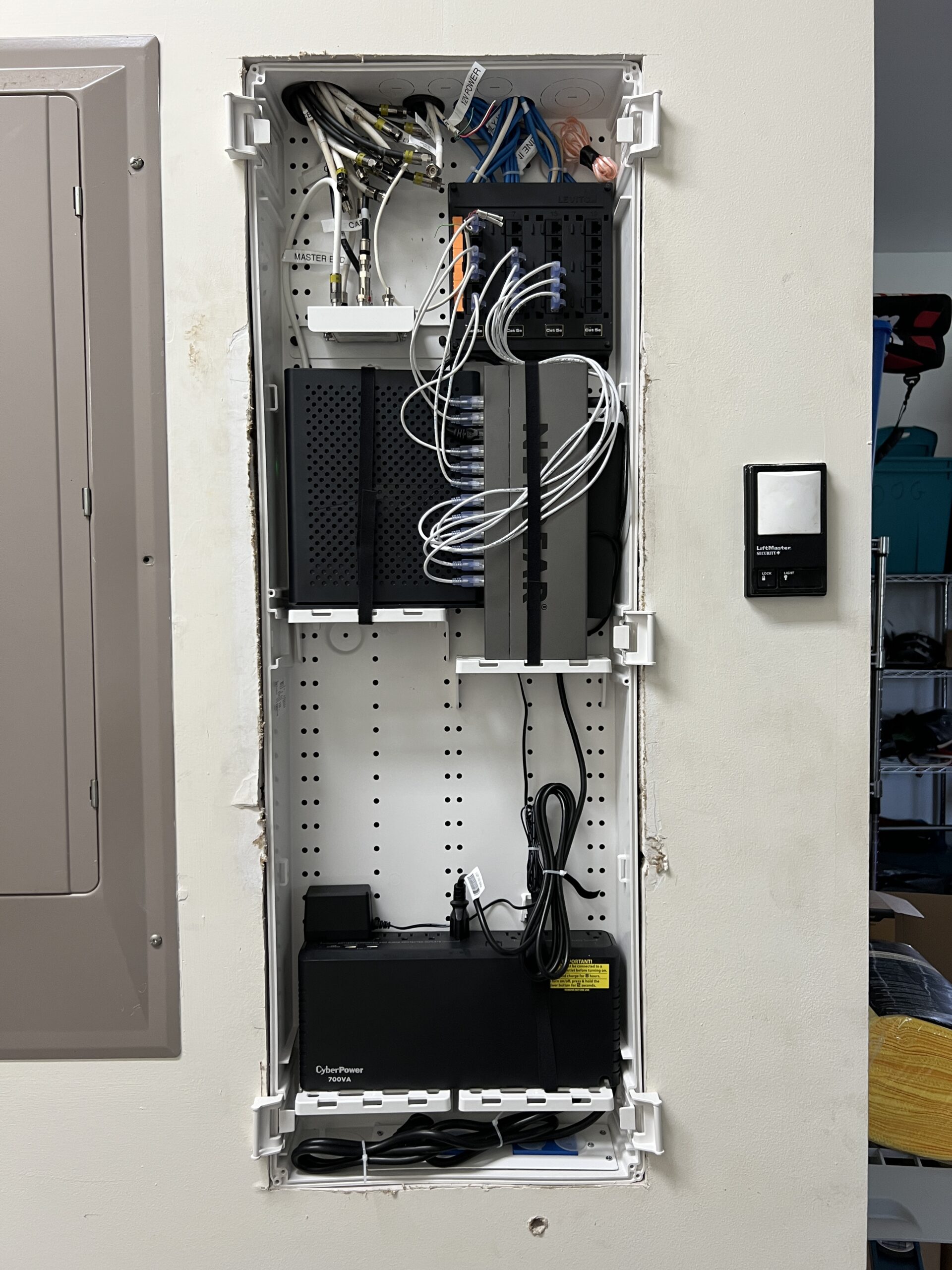
Requiem for a 20-year-old Netgear switch

From exactly 20 years ago:

This had been powering the hard-wired network in the walls of my old Harvard Square apartment ($125/run in pre-Biden dollars, facilitated by an attic above) and failed at some point in 2025. The front of the device was showing only one link light and it wasn’t on a port to which anything was connected. I found to my delight that the GS116 was still made by Netgear(!) and assumed that the new one ($100 for unmanaged) would have the same mounting pattern and, therefore, I could slide it up underneath the desk using the same screws. Sadly, however, they changed the spacing on the mounting holes.

I think that we need to give a shout-out to the Netgear engineers circa 2000 who made a machine that could run almost forever in Internet terms.

(Why didn’t I upgrade to a 10G switch? Xfinity is the monopoly Internet provider in most of Cambridge, Maskachusetts (the officials who wisely run the world’s smartest city rejected Verizon FiOS some years ago) and one is lucky to get 200 Mbits download throughput on their “gigabit” service, which is throttled to 35 Mbits upload.)

Full post, including comments

Who has experienced a USB-C jack failure due to dirt/lint?

My 9-month-old pocket-carried iPhone 16 Pro Max stopped connecting reliably to USB-C cables. This had never happened in the bad old Lightning jack days. There’s an Apple Store 15 minutes south of us in Palm Beach Gardens (home to Tiger Woods’s former plaintiff/club-wielding attacker). The “geniuses” there cleaned it out in their back room so I can’t say what tools they used.

I had thought that the EU-mandated euthanasia for Lightning was a pure boon to consumers, but maybe others have noticed the same fragility?

Here’s what ChatGPT has to say:

Yes — USB-C jacks are generally more susceptible to dirt and lint issues than Lightning, though both can fail from pocket debris. Here’s why:

1. Connector Design

  • USB-C: The jack is a receptacle with 24 tiny exposed contacts along the walls. Debris can sit in the bottom of the port and prevent the plug from seating fully, or it can block some pins. Because the plug’s tongue is solid and must slide into the port, any pocket lint at the bottom tends to get compacted and cause “won’t charge” problems.
  • Lightning: Apple’s Lightning jack has fewer contacts (8), located only on the plug itself. The port on the device is a simple cavity with spring contacts on the sides. Dirt buildup still happens, but there’s less opportunity for debris to block a critical central “tongue.”

2. Durability in Daily Use

  • USB-C: More fragile if debris prevents a flush fit — wiggling or forcing a plug against lint can bend pins inside the port.
  • Lightning: More forgiving; the plug’s flat contacts scrape against the spring pins, which can tolerate a little more obstruction.

3. Real-World Failure Patterns

  • Many phone repair shops report that the number one cause of “dead” USB-C ports is lint compaction, especially in phones carried in jeans pockets. The plug simply won’t go in all the way until the port is cleaned with a pick or compressed air.
  • Lightning ports can also clog, but they usually fail from mechanical wear on the spring contacts after many years, rather than lint preventing insertion.

4. Cleaning and Maintenance

  • USB-C: Needs more frequent cleaning if the device is often pocket-carried. A wooden or plastic pick works best.
  • Lightning: Easier to clean, less prone to deep compaction.

🔹 Best Practices for Cleaning a USB-C Jack

1. Power Down First

  • Turn off the device completely.
  • If possible, unplug the battery (for laptops) to eliminate any chance of shorting pins.

2. Start With Compressed Air

  • Use a can of compressed air held upright.
  • Give the port short, controlled bursts at different angles.
  • Avoid holding the nozzle too close or using “liquid spray” mode (which can cause condensation).

3. Use a Non-Conductive Pick if Needed

If air alone doesn’t work:

  • Use a wooden or plastic toothpick or a specialized port-cleaning tool.
  • Very gently scrape or lift out compacted lint at the bottom of the port.
  • Work slowly to avoid scratching or bending the pins on the side walls.

4. Optional: Isopropyl Alcohol for Sticky Residue

  • If there’s grime (e.g., soda, lotion), lightly dampen a lint-free swab with 99% isopropyl alcohol.
  • Gently wipe the inside walls.
  • Let it dry completely before powering on.

5. What NOT to Do

  • ❌ Don’t use metal objects like paperclips or needles — they can short pins or bend contacts.
  • ❌ Don’t soak the port in liquid cleaner.
  • ❌ Don’t blast with high-pressure air compressors (too strong, may damage).

🔹 Maintenance Tips

  • Keep devices in a case that shields the port from pocket lint.
  • Store with a dust plug (tiny rubber caps for USB-C are cheap).
  • Clean ports periodically if you carry your phone in jeans pockets.

Should folks who do all of their charging and CarPlaying, etc. wirelessly invest 10 cents in a dust cover?

Full post, including comments

Measured cooling effect of clay tile roof

I have a Chinese Govee temperature sensor above the fiberglass insulation in a mostly unventilated attic here in Florida. During a reroof there were periods of time when the attic was covered with

  1. concrete barrel tiles over hot mop tar paper
  2. modern peel-and-stick underlayment only
  3. clay barrel tiles (a medium-dark red/brown) over the modern underlayment

Weather conditions were reasonably consistent during these three time periods, i.e., hot and sunny.

Temps in the lower part of attic (only about 4′ high; probe on top of some fiberglass insulation above the finished ceiling) went from roughly 100 degrees underneath the old intact roof (concrete tiles) to 120-130 degrees under the peel-and-stick underlayment only (white in color, but apparently not very reflective), and back down to around 100 degrees underneath the new clay tiles over underlayment. Here’s a chart from the Govee app:

In late July, maybe the hottest time of year, the temps went up to a max of 115 degrees.

Speaking of Chinese tech, here’s an idea for an awning that can automatically deploy over a parked car:

(I hope that it checks the wind forecast and the actual wind and folds itself up automatically when necessary!)

Full post, including comments